Multi-Channel Sales Sequences: The Essential Guide



Contents
Multi-channel sales sequences consistently outperform single-channel outreach, yet most sales teams still rely on email alone to fill their pipeline. The gap between knowing this and actually building a coordinated sequence across email, LinkedIn, and phone is where deals slip through the cracks.
Research confirms the stakes: 80% of deals require five or more touches to close, but nearly half of all reps give up after a single attempt. A structured 10-14 touch sequence solves this persistence problem while respecting your prospect’s attention across the channels they actually use. This guide walks you through building one from scratch, step by step.
What Multi-Channel Sales Sequences Actually Deliver
A multi-channel sales sequence is a pre-planned series of touchpoints across two or more communication channels, typically email, LinkedIn, and phone, designed to engage a prospect over a defined period. Unlike a marketing drip campaign that nurtures over months, a sales sequence is shorter, more direct, and owned by the individual rep.
The performance difference is dramatic. According to Capital One Shopping’s omnichannel statistics report, coordinated email-phone-LinkedIn outreach delivers up to 250% higher conversion rates than single-channel tactics. That lift comes from meeting prospects where they already spend time rather than hoping one inbox catches their eye.
Why Single-Channel Outreach Falls Short
Email-only sequences face a compounding problem. Inboxes are crowded, deliverability fluctuates, and a prospect who ignores your first two emails will almost certainly ignore the third. Phone-only approaches hit voicemail walls. LinkedIn-only outreach drowns in connection requests.
Combining channels creates a “surround sound” effect. A prospect sees your name in their inbox, notices your LinkedIn profile view, then picks up a call from someone they vaguely recognize. Each channel reinforces the others, building familiarity that no single channel achieves alone. MarketBetter’s 2026 outbound data confirms this, showing adding LinkedIn and phone to email increases response rates by 287% versus single-channel efforts.
Build a 10-14 Touch Multi-Channel Sales Sequence: Step by Step
The following framework gives you a complete sequence structure you can adapt to your ICP and sales cycle. Each step includes the channel, timing, and purpose so you can start executing immediately.
Step 1: Research and Personalize Before Touch One
Before sending anything, spend 5-10 minutes per prospect gathering personalization signals. Check their LinkedIn activity for recent posts, job changes, or shared connections. Review their company’s recent news, funding announcements, or product launches. This research fuels every touch that follows and separates your outreach from generic blasts.
Step 2: Open With a Personalized Email (Day 1)
Your first touch should be a short, personalized email that references something specific about the prospect or their company. Keep it under 100 words. Lead with the observation, connect it to a relevant problem, and close with a soft question rather than a hard ask. Subject lines that reference their company or role outperform generic alternatives by a wide margin.
Step 3: Send a LinkedIn Connection Request (Day 2)
The day after your first email, send a LinkedIn connection request with a brief personalized note. Do not pitch in the connection request. Reference a shared interest, mutual connection, or their recent content. The goal is simple: get accepted so future LinkedIn touches land in their messaging inbox rather than the filtered “Other” folder.
Step 4: Follow Up With a Value-Add Email (Day 4)
Your second email should deliver something genuinely useful: a relevant case study, industry benchmark, or short insight tied to the problem you solve. Avoid “just following up” language. Frame this touch around what your prospect gains from reading it, not what you want from them.
Step 5: Make Your First Phone Call (Day 5)
Call the prospect directly. If they answer, reference your email and LinkedIn activity briefly to establish context, then pivot to a question about their priorities. If you reach voicemail, leave a 20-second message that names one specific challenge and promises a follow-up email with relevant details. The phone call shifts the dynamic from text on a screen to a real human conversation.
Step 6: Engage With Their LinkedIn Content (Day 7)
Comment meaningfully on one of their recent posts or shared articles. This is not a pitch. Add a genuine observation, ask a thoughtful question, or share a complementary data point. This “warm touch” keeps your name visible without adding another message to their inbox.
Step 7: Send a Social Proof Email (Day 9)
Your third email introduces a brief customer story or results snapshot. Show how a similar company solved the exact challenge your prospect faces. Keep the story tight: situation, action, result. Numbers speak louder than adjectives here.
Step 8: Send a LinkedIn Direct Message (Day 10)
If your connection request was accepted, send a short LinkedIn message. Reference the email you sent and offer a slightly different angle on the value. LinkedIn messages have higher open rates than email for many personas, especially C-suite and VP-level prospects who live on the platform.
Step 9: Second Phone Call (Day 11)
Make another call attempt, ideally at a different time of day than your first. Reps who vary their call timing significantly increase their connect rate. If you leave voicemail again, change your angle: mention the LinkedIn connection or a new piece of value rather than repeating your first message.
Step 10: Send a Breakup-Style Email (Day 14)
Your final email should signal that you won’t keep reaching out indefinitely. Frame it positively: summarize the value you’ve offered, ask if the timing is wrong, and leave the door open. Breakup emails consistently generate the highest reply rates in most sequences because they remove pressure and trigger loss aversion.
For sequences targeting enterprise accounts or longer sales cycles, you can extend to 12-14 touches by adding a second LinkedIn message on Day 12, a final phone attempt on Day 13, and a “door open” LinkedIn voice note on Day 14.
Orchestrate Your Multi-Channel Sales Sequences With the Right Platform
Building the sequence is half the challenge. Executing it consistently across every prospect without dropping touches requires a platform that unifies all three channels. This is where most teams stumble, toggling between their email tool, LinkedIn tab, and phone system while manually tracking where each prospect sits in the cadence.
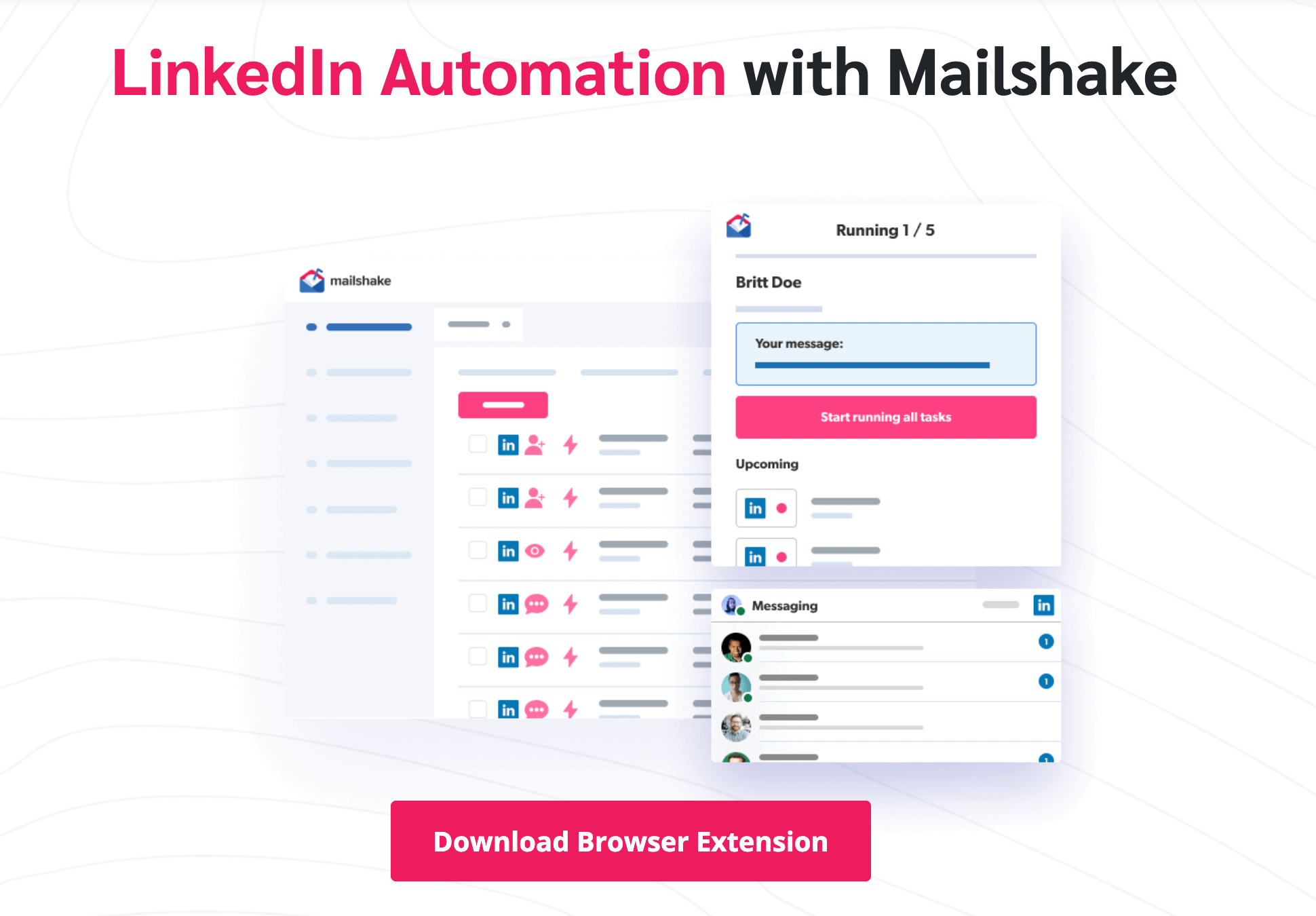
Mailshake solves this coordination problem by combining email outreach, LinkedIn task management, and phone dialer capabilities within a single platform. Reps see their daily tasks across all channels in one view: emails queued for sending, LinkedIn touches due, and calls scheduled. The platform’s Lead Drivers dashboard tracks which channels and messages drive the most engagement, so you can continuously refine your sequence based on real performance data.
New reps benefit especially from this unified approach. Mailshake’s email domain setup assistant and Shakespeare AI writer get campaigns running on day one, while built-in list cleaning and warm-up tools protect deliverability from the start. The Spintax feature automatically varies email components to keep messages fresh across high-volume sends.
Measure, Test, and Improve Each Channel
After your first 50-100 prospects complete the sequence, review performance by channel. Track email open and reply rates, LinkedIn connection acceptance and message response rates, and phone connect rates separately. Identify which touches generate the most replies and meetings, then double down.
Test one variable at a time. Swap the order of your LinkedIn and phone touches. Try a video message instead of your Day 9 email. Shorten or lengthen the gap between touches. Clevenio’s research underscores why this persistence matters: 80% of deals require five or more touches, yet 44% of reps stop after the first attempt. Your sequence ensures you never become that statistic.
Launch Your First Multi-Channel Sequence Today
The gap between average and top-performing sales teams often comes down to sequence discipline, not talent. A well-structured multi-channel sales sequence across email, LinkedIn, and phone creates consistent pipeline by reaching prospects through the channels they prefer, at the frequency that builds trust without overwhelming.
Start with the 10-touch framework above, adapt the messaging to your ICP, and track results from day one. Ready to run your entire sequence from a single platform? Explore Mailshake’s multi-channel outreach tools to unify your email, LinkedIn, and phone touches and start booking more meetings this week.
Frequently Asked Questions
How do I choose the right channels for my audience beyond email, LinkedIn, and phone?
Start with where your buyers already engage professionally, such as industry communities, events, partner ecosystems, or niche forums. Validate your choices by reviewing past wins in your CRM and asking sales what channels prospects reference most during discovery.
How do I keep multi-channel outreach compliant with privacy and anti-spam regulations?
Work with legal or compliance to define rules for consent, opt-outs, data retention, and approved messaging by region. Use a centralized suppression list and consistent opt-out handling across channels so a prospect’s preference is honored everywhere.
What should I do if a prospect engages on one channel but ignores the others?
Follow the signal, reply in the channel they used and continue the conversation there while reducing noise elsewhere. If needed, use the other channels only for supportive context, like sending a calendar link after they ask for availability.
How do I personalize at scale without spending too much time per prospect?
Create a lightweight personalization framework with a few repeatable angles, such as role-based priorities, trigger events, and relevant initiatives, then fill in one strong detail per message. Use templates with flexible placeholders and a short research checklist so reps stay consistent.
How should I handle multiple stakeholders within the same account in a multi-channel sequence?
Map each stakeholder to a distinct objective, such as economic buyer, champion, and technical evaluator, then tailor messaging to their incentives. Coordinate touches so you avoid conflicting asks and use internal referrals, like asking your champion who else should weigh in.
What is a practical way to attribute meetings and pipeline to specific touches or channels?
Standardize tracking with unique meeting links, consistent UTM parameters for assets, and clear CRM activity logging rules by channel. Review attribution in cohorts, for example by segment and persona, to spot which touch patterns correlate with booked meetings.
How do I prevent multi-channel sequences from feeling intrusive or overly persistent?
Set clear exit criteria, such as stopping after a direct no, a hard bounce, or an unsubscribe, and add longer gaps for low-intent segments. Keep each touch purpose-driven, rotate formats, and make it easy for prospects to choose a next step or opt out.
Continue reading


Social


