The 10 Most Common Cold Email Mistakes (Updated for 2026 Filters & Regulations)



Contents
If your cold emails are landing in inboxes but not getting replies, you’re not alone. In 2026, AI-driven inboxes, smarter spam filters, and stricter privacy regulations have raised the bar for email deliverability.
Sending more emails won’t cut it anymore; how you send them, who you send them to, and how personalized your content is now matter as much as the message itself.
Avoiding common mistakes is the fastest way to improve open rates, boost replies, and build a sender reputation that AI filters actually trust. In this article, we break down the 10 most common cold email mistakes that are hurting campaigns in 2026 and how to fix them.
1. Sending From an Unwarmed or Unprepared Domain
The biggest cold email mistake is failing to properly set up your domain’s reputation before you start sending. In 2026, AI filters will check your content and analyze your sending history from day one.
So, a new domain that starts blasting high volumes of email will be flagged as robotic and potentially spammy, ensuring your campaigns land in the spam folder before a single prospect ever sees them.
This is why using your primary company domain for cold outreach is so dangerous. A single campaign that receives spam complaints can poison the reputation of your entire domain, affecting all your business communications, including transactional emails and newsletters.
The solution is to use a dedicated subdomain or a closely related secondary domain like yourcompanyhq.com exclusively for cold email.
And before launching any campaigns, this domain has to undergo a gradual “warm-up” process, where you slowly ramp up sending volume to mimic human behavior and build a positive reputation with inbox providers.
2. Ignoring the New Sender Rules (Authentication & List Hygiene)
Major email providers like Google and Yahoo have officially drawn a line in the sand. If you want your bulk emails delivered in 2026, you have to comply with new, non-negotiable sender requirements. You have to:
- Set up SPF, DKIM, and DMARC to prove to inbox providers that you are a legitimate sender and not an impersonator
- Maintain a spam complaint rate below 0.3%
- Make sure all emails follow the Internet message format standard and include a valid message ID
- Have a valid PTR record for each sending IP address and forward DNS record points to the sending IP address
- Provide a one-click unsubscribe button in every email
If you don’t comply with these requirements, you may start to receive temporary errors on a percentage of your non-compliant email traffic or have some of your non-compliant emails rejected outright.
3. Relying on Generic, Non-Personalized Templates
AI-powered filters now use natural language processing (NLP) to assess the relevance and intent of your email.
So, if you’re using templates for your cold emails but only swap out a first name and fill them with generic, company-centric boasts, the filter will identify them as low-value, mass-produced content. If this happens several times, your emails might not reach your prospects anymore.
Another problem will be human engagement or the lack thereof. Busy prospects can spot a generic email from a mile away and will delete it instantly. This lack of positive engagement will teach the AI that your future emails are unwanted.
So, to avoid that from happening, you have to hyper-personalize your emails. This means referencing a prospect’s recent work achievements, a company announcement, or a shared challenge mentioned in their LinkedIn profile.
Hyper-personalization shows that you made a genuine effort to understand your recipient and makes them feel like the email was written just for them, which dramatically increases reply rates and tells the AI you’re a valuable sender.
4. Overloading Emails With Spam Triggers
Spam filters and AI inboxes scan emails for signals that suggest you’re mass-mailing or putting out low-value content. Overloading your email with logos, HTML formatting, images, or multiple links immediately raises red flags. These are what email systems consider “spam triggers.”
To avoid tripping them:
- Keep the design plain text
- Avoid images and fancy formatting
- Include only one relevant link if absolutely necessary
Every extra element increases the chance your email will land in spam and distracts the prospect from your core message. Keeping it simple ensures your email stays readable and reaches the inbox.
5. Using a Shared Tracking Domain
Most cold email software uses a shared domain to host tracking pixels and link redirects. But when you use a shared domain, your sender reputation is tied to every other user of that tool.
This means if another sender gets flagged for spam, the shared domain’s reputation drops, and your deliverability suffers alongside theirs, even if your practices are perfect.
You can avoid this if you use a custom tracking domain. This is a subdomain of your own authenticated domain, such as track.yourcompanyhq.com, that you configure within your email tool.
Your custom tracking domain replaces the generic shared domain, making your tracking elements unique to you. This isolates your reputation from others and prevents spam filters from being triggered by a domain they don’t recognize or trust.
6. Writing for a Robot, Not a Person
Inbox providers are getting better at identifying content that feels stiff, overly formal, and lacking in human nuance. If your email reads like it was generated by a machine, it likely was, and both the AI filter and the human recipient will discount its value.
So, you should sound like a real person reaching out to another real person in your emails. This means using a conversational tone, contractions (“you’ll” instead of “you will”), and short, direct sentences.
Tip: Read your email aloud before sending it. Does it sound like something you would actually say in a conversation? If not, rewrite it. You can also run your email through an AI email writer to get variations that you can pick from.
7. Having Unclear or Multiple Calls-to-Action (CTAs)
One of the most common engagement killers is an email with multiple, competing calls-to-action or one that is so vague the prospect doesn’t know what to do next. “Let me know if you’re interested” is not a clear CTA. It places the burden of action on the busy prospect and rarely gets a response.
So, your cold email should have one single, clear, and easy-to-execute CTA. Do you want them to reply with a specific answer? Book a meeting using a single link? Then prompt them to take that action and make it as low-friction and directly related to the value proposition in your email as possible.
Because when you prompt your prospect to one specific action, you dramatically increase your response rate. This signals to AI systems that your email was valuable and that you are a sender worth prioritizing in the future.
8. Neglecting the Unsubscribe Link and Compliance
Privacy regulations like GDPR and CPRA, combined with new requirements from platforms like Gmail, have made including a clear one-click unsubscribe link mandatory for all commercial emails.
An unsubscribe link shows respect for your recipient’s inbox and choices. Plus, forcing someone who wants to opt out to manually reply with “unsubscribe” is a fast way to earn a spam complaint instead.
Spam complaints are one of the most damaging metrics for your sender reputation. When you make it easy to unsubscribe, you protect your reputation, stay compliant with major regulations, and maintain a clean list of only engaged prospects.
9. Sending at the Wrong Time (for the Prospect)
Sending an email without considering the recipient’s local time zone is a recipe for low engagement.
If your email arrives at 9 PM, it will be buried under a fresh batch of morning emails by 9 AM. Low open rates directly signal to AI that your content isn’t compelling, which harms your long-term deliverability.
This means you should send your emails at the right time for your prospect. You ideally want to have your email arrive in the inbox during the recipient’s typical working hours, preferably mid-week (Tuesday to Thursday).
You can use an email deliverability tool like Mailshake to schedule campaigns based on the prospect’s time zone, ensuring your message lands near the top of their inbox when they are most active. This can boost open rates and, consequently, your sender reputation.
10. Giving up Too Soon (or Not Knowing When to Stop)
Many cold emailers make one of two follow-up mistakes: they send one email and give up, or they follow up endlessly without a plan. Both approaches hurt your results. Prospects are busy, and a single email is easy to miss or forget.
On the flip side, pestering an unengaged prospect for weeks on end trains the AI that your emails are ignored and unwanted. You can avoid this using a multi-touch sequence that provides value with each email.
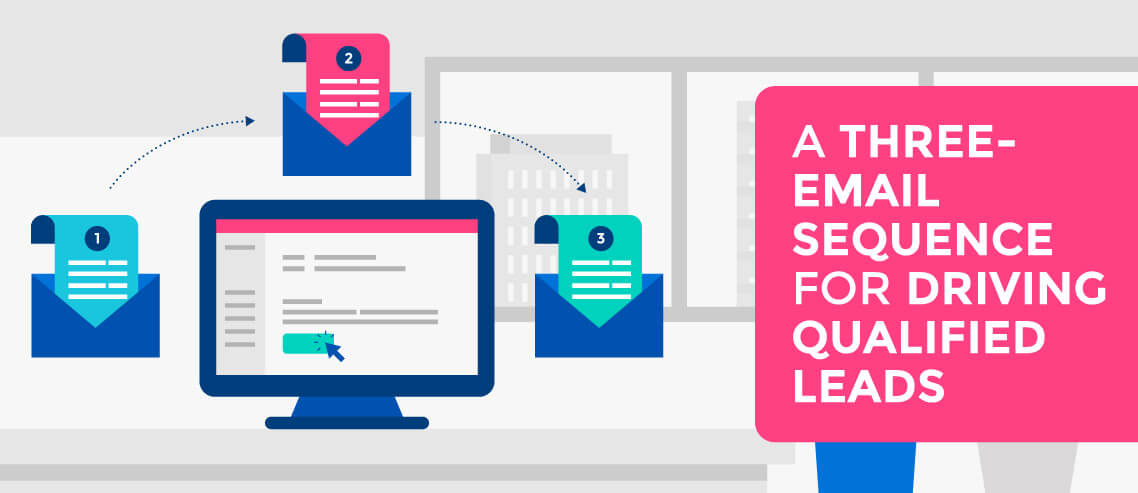
A typical sequence might include 4-7 emails sent over 2-3 weeks, each with a slightly different angle or piece of social proof. You can use an automated email deliverability tool like Mailshake to send trigger-based follow-ups and increase your response rates.
However, you also need to know when to stop.
If a prospect shows no signs of engagement (no opens, no clicks) after the full sequence, automatically move them to a “disengaged” list. Continuing to email them only harms your sender score.
Final Thoughts
AI-powered inboxes, advanced spam filters, and tighter privacy rules mean that sending more emails won’t automatically get results. What matters is building trust with both your recipients and the systems that control their inboxes.
So, focus on personalization, clean lists, proper authentication, and a structured warm-up. These practices show AI that your emails are valuable and wanted, while keeping your campaigns human and relevant.
Continue reading



Social


